
无法直接获取,但可以用前端插件获取到用户信息,再postMessage出去给浏览器其他页面消费
demo的效果如下:
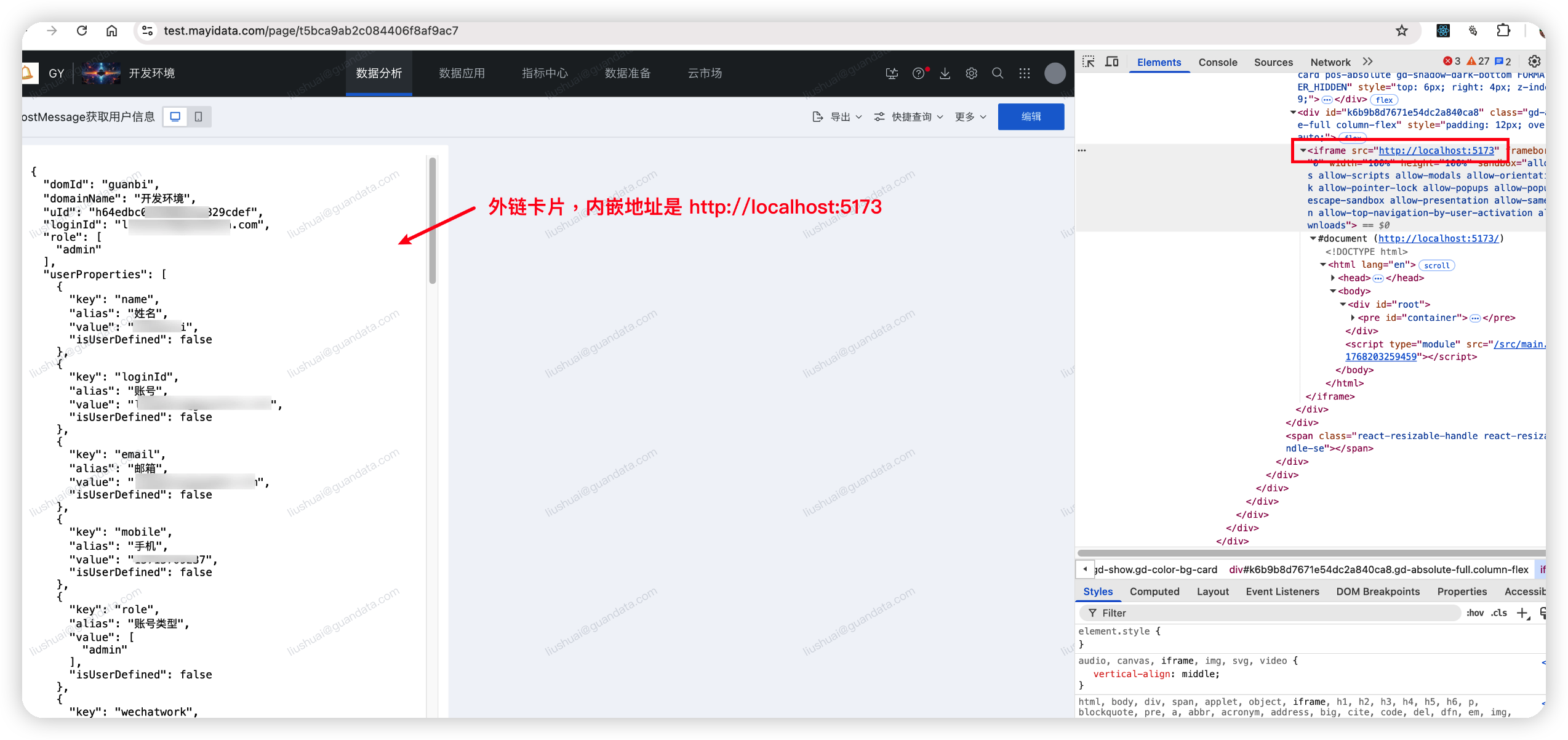
内嵌网页内容(给BI,也就是parent发消息获取用户信息):
import { useEffect } from "react";
export default function IframePostMessage() {
useEffect(() => {
const parentOrigin = "https://test.mayidata.com"; // BI站点origin
window.parent.postMessage({ type: "GET_GD_USER" }, parentOrigin); // 向parent发消息
const listener = (event: MessageEvent) => {
console.log({ event });
if (
event.source === window.parent &&
event.data.type === "GD_USER_INFO"
) {
// 判断消息来源是否是父窗口
const el = document.querySelector("#container") as HTMLElement;
el.textContent = JSON.stringify(event.data.userInfo, null, 2);
}
};
window.addEventListener("message", listener);
return () => {
window.removeEventListener("message", listener);
};
}, []);
return <pre id="container" />;
}
插件内容(收到 GET_GD_USER 消息,则获取到用户信息,并发送给指定iframe):
GD.on("gd-ready", () => {
// 定义内嵌iframe的origin
const iframeOrigin = "http://localhost:5173"; // 内嵌网站origin
// 侦听message事件,处理来自指定origin的消息
window.addEventListener("message", (e) => {
if (e.origin === iframeOrigin && e.data.type === "GET_GD_USER") {
const userInfo = GD.getUser();
(e.source as Window)?.postMessage({ type: "GD_USER_INFO", userInfo }, iframeOrigin);
}
});
});
以上内容亦可参考,前端插件获取用户信息: https://docs.guandata.com/product/bi/605320810881613824#%E8%8E%B7%E5%8F%96%E5%BD%93%E5%89%8D%E7%99%BB%E5%BD%95%E7%94%A8%E6%88%B7%E4%BF%A1%E6%81%AF